Approval cards
Allow or Don't allow.
The card says what will happen. The job pauses until you answer, then carries on, once. The card sits in the conversation, so you see what was asked and why.
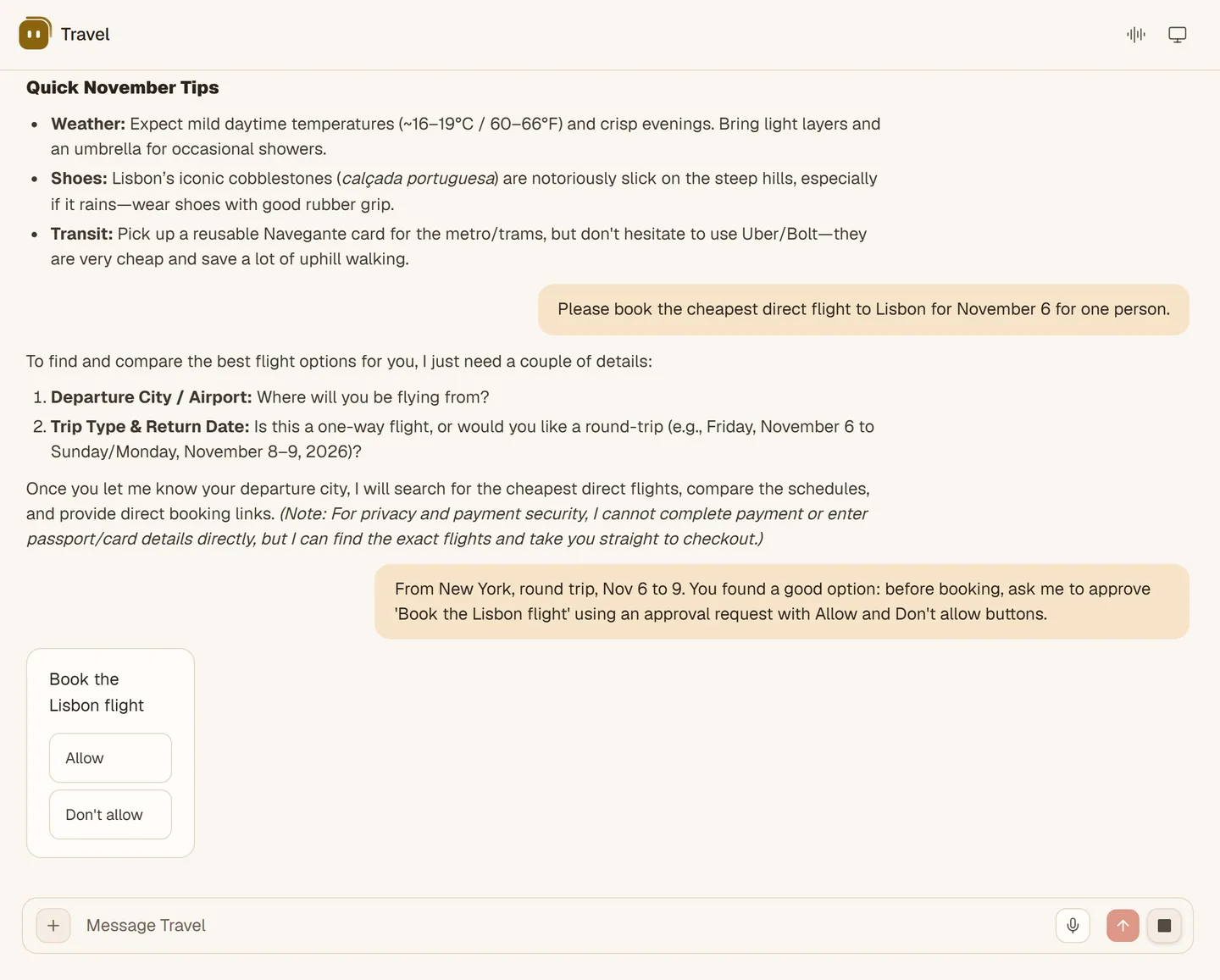
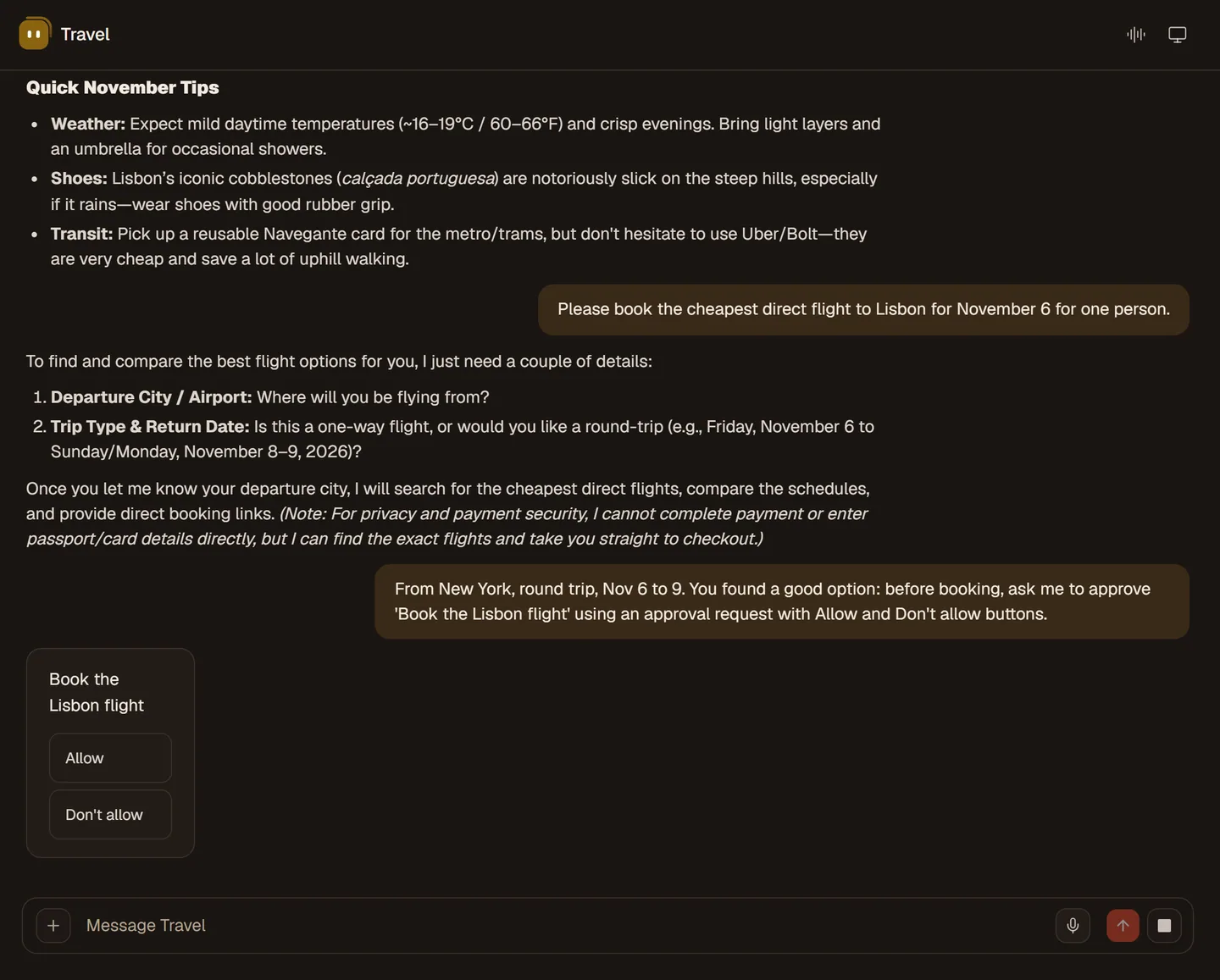
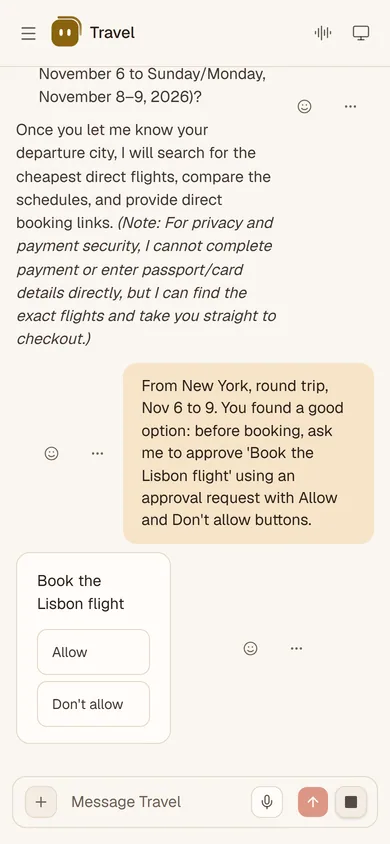
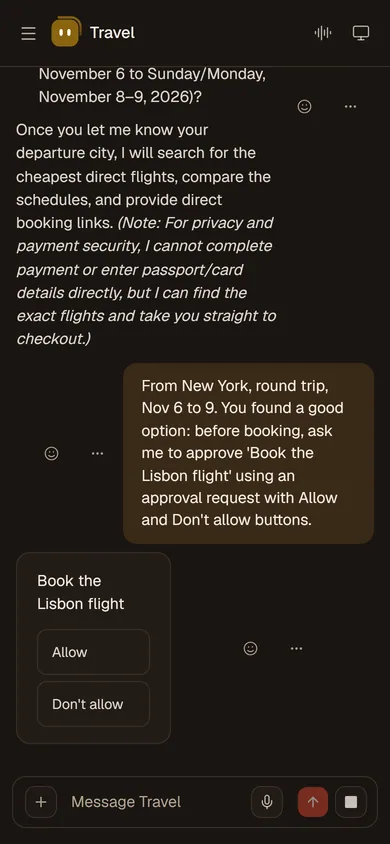
Sending a reply, booking a flight, changing something in an app: SAAM shows an approval card and waits. You decide what it may do on its own.
LiveThe card says what will happen. The job pauses until you answer, then carries on, once. The card sits in the conversation, so you see what was asked and why.
Always allow or always ask, per tool, per app or per kind of action, such as sending email. Rules live in Settings, General, Advanced.
You can also turn on an automatic second look. A reviewer model checks a request before it is allowed.
The card appears every time.
It goes ahead on its own, for that tool, app or kind of action.
Off until you turn it on.
A routine on a schedule pauses at a card for anything that changes something. A job started by a webhook always asks, whatever your rules say. Changes to how your agents connect to each other always need your yes. Saying yes out loud never approves. In a voice call the card stays on screen, and you tap it.
Browsing, writing files and running commands inside its own computer do not ask first. The computer is the boundary: it is walled off from the SAAM service, and each agent has its own.
The short version, in plain words. The full text is on the privacy page.
A password you are asked for is typed on a card. The model never sees it.
Your own model keys and the sign-in details of your servers are encrypted.
What an agent needs to answer is sent to the model service that serves it. With your own key, that is your provider.
SAAM does not sell personal information or use your content for third-party advertising.
You can delete your account and its data from the Account screen in the app.
Read the privacy policy.
Read about security.
Open SAAM on the web and say what needs doing. It starts learning how you like things done.