Talk to us

How can we help?

Leave your email and we will get in touch.

Models

Use the model you like.

SAAM comes with a model included. If you prefer another, add your own key or sign in with an account you already have, then choose it for any agent.

Live

What it does

  • Works with the included model from the first message.
  • Connects Gemini, OpenAI, Anthropic, OpenRouter, xAI or any OpenAI compatible server with your own key.
  • Signs in with ChatGPT, Claude or Copilot.
  • Sets the model and the thinking level for each agent.

How to start

  • Open Settings, then Models, connect a provider, then choose the model in an agent's settings.

Limits

  • The model is set per agent, not per chat.
  • Models on your own key run on your account with your provider, not on SAAM.
  • Premium models on SAAM's key are not available yet.
Included

It works from the first message.

Every agent starts on the model that comes with SAAM. There is nothing to set up, and nothing to paste, before you ask for your first job.

Your own

Add a key, or sign in.

Open Settings, then Models. Search the providers, paste your own key for Gemini, OpenAI, Anthropic, OpenRouter, xAI or any OpenAI compatible server, and connect. Or sign in with ChatGPT, Claude or Copilot. The active model is always shown at the top.
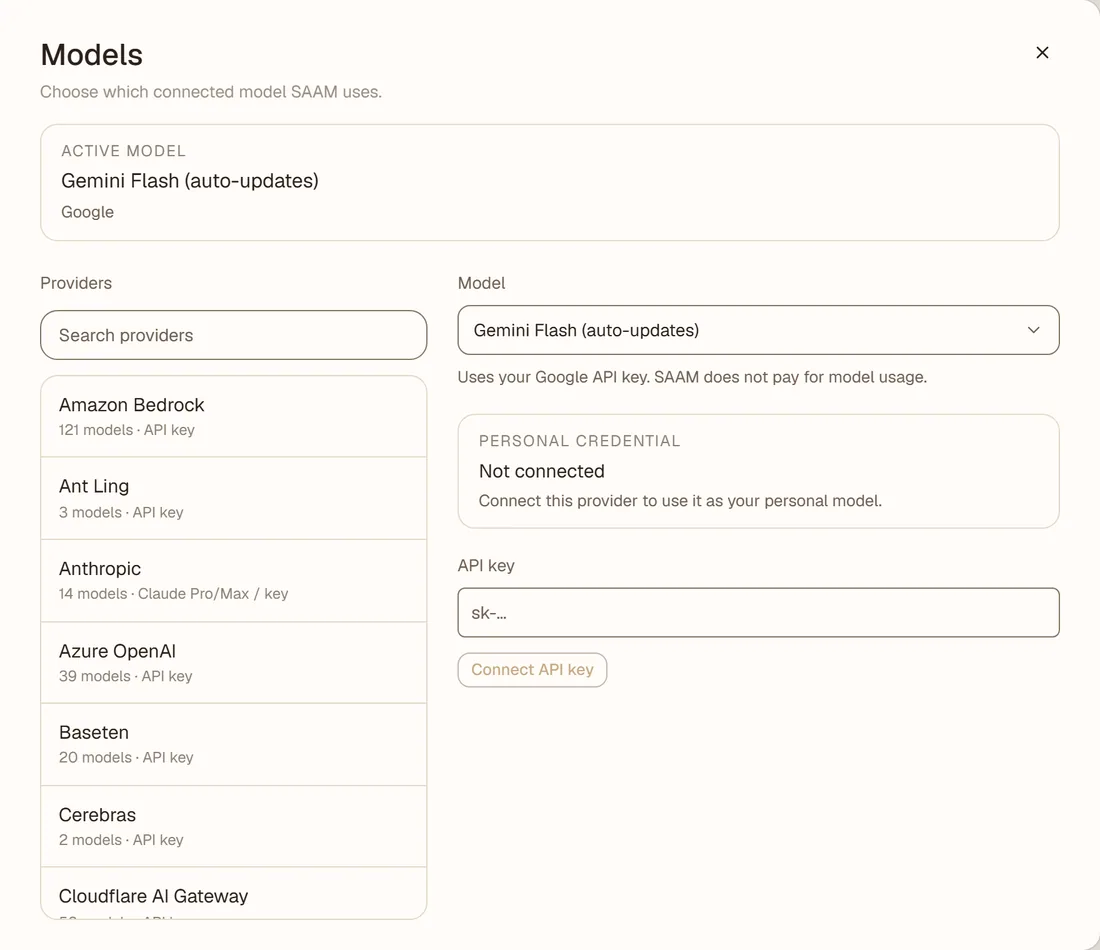
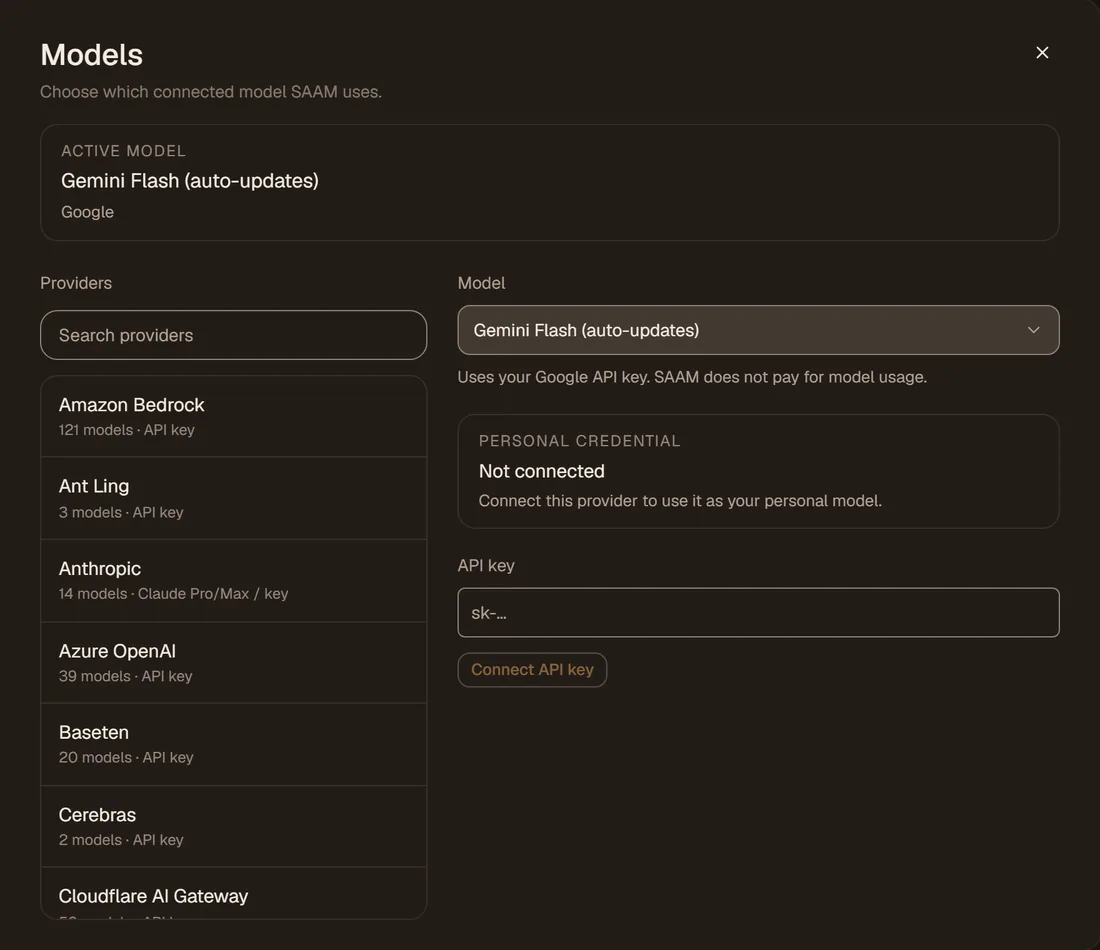
The Models settings: the active model, a searchable provider list and an API key field.The Models settings: the active model, a searchable provider list and an API key field.
Settings, Models: search the providers, pick one, and see the key field. Nothing is connected in the recording. 17 seconds.
Per agent

Choose a model for each agent.

Open an agent's settings and use the Model menu. It lists the default and every provider you have connected. Set the thinking level there too.

Put Travel on one model and Home on another. The same agent keeps its model in every chat.

Illustration, not a screenshot
  • Default

    The included model, until you choose another.

  • Your key or sign-in

    Appears in the menu once you connect it in Settings.

  • Thinking level

    Set per agent, next to the model.

Limits

What it does not do.

You cannot switch models inside a single chat; the model belongs to the agent. Premium models on SAAM's own key are not open yet, so a model other than the included one needs your own key or sign-in. Operating a screen on its computer needs a model that can see images.

Meet SAAM.

Open SAAM on the web and say what needs doing. It starts learning how you like things done.

Open SAAM