Talk to us

How can we help?

Leave your email and we will get in touch.

Automations

Ask once. It turns up on time.

A routine is an instruction with a trigger. Every Sunday at 6, look at my week. Every weekday at 8, check this page and tell me. Say it once and SAAM keeps it.

Live

What it does

  • Runs on a schedule (hour, day, weekday, week, month, interval or cron), a webhook URL, or a git event.
  • Lets you press Test run first and read the history of every run.
  • Can be created by asking in chat, including one-time reminders.

How to start

  • Say what you want and when, for example: every weekday at 8, check the school page and tell me.
  • Or open an agent, press the plus beside Routines, and fill in a name, an instruction and a trigger.

Limits

  • App events such as a new email are not triggers yet.
  • A routine that sends or changes something waits for your yes. Webhook runs always ask.
  • On the web, results appear in the chat. There are no push alerts yet.
The routine editor

A name, an instruction, a time.

That is the whole form. Write the instruction the way you would say it, choose when it runs, and press Test run to see what it would do. Prefer to talk? Ask SAAM in chat and it fills the same form for you.
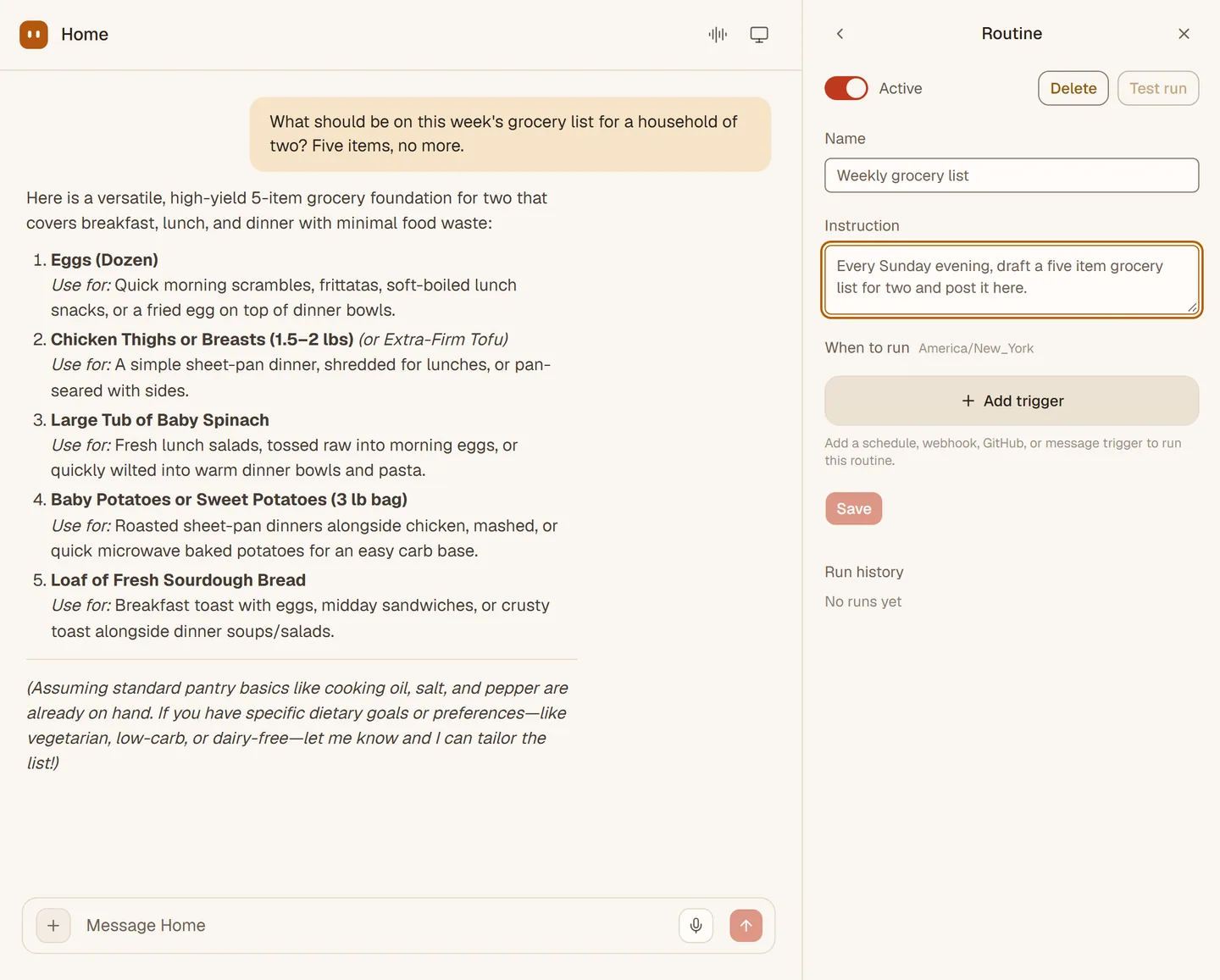
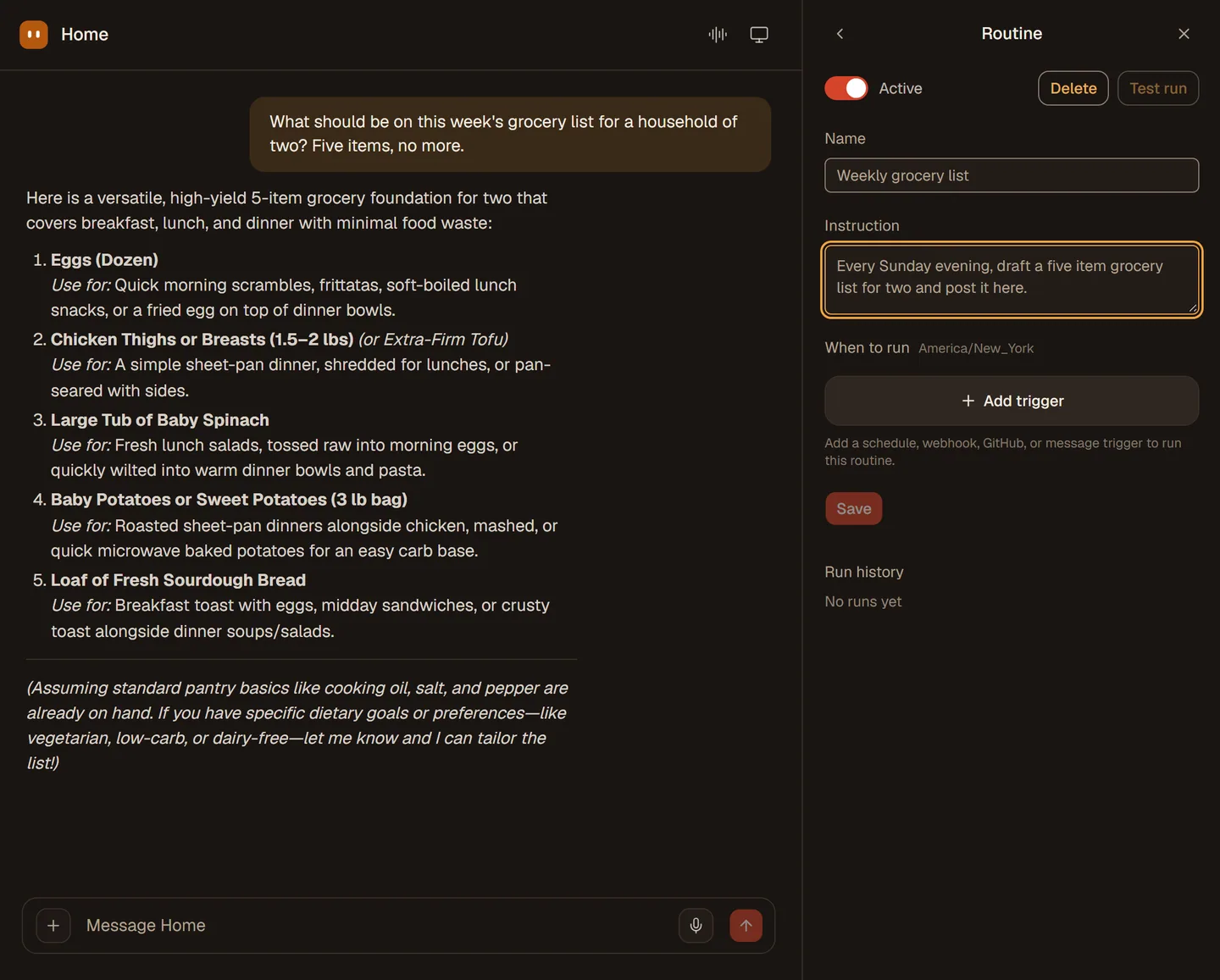
The Home agent in chat with the Routine editor open on the right: an Active switch, Delete and Test run buttons, a name, an instruction, an Add trigger button and an empty Run history.The Home agent in chat with the Routine editor open on the right: an Active switch, Delete and Test run buttons, a name, an instruction, an Add trigger button and an empty Run history.
What people ask for

Small jobs that should just happen.

Each one is a sentence and a time.

  • Every weekday, 8:00 am

    Check the school page for new notices and tell me.

  • Every Sunday evening

    Draft a five item grocery list for two and post it here.

  • Every Sunday, 6:00 pm

    Look at my week and flag anything that clashes.

  • Today at 3:00 pm

    Remind me to call the dentist. One-time reminders are made from chat.

Triggers

What can start a routine.

Three triggers work today. One is on the way. The rest are not built, and we will not list them as coming.

  • On a schedule

    Every hour, day, weekday, week or month, at an interval, or on a cron line, in your time zone.

    Live
  • Webhook

    A private URL for the routine. Another service posts to it and the routine runs. The key can be rotated.

    Live
  • Git event

    A GitHub webhook can start a routine when something happens in a repository.

    Live
  • Slack message

    Start a routine from a Slack message. It needs Slack switched on, which it is not yet.

    Coming
  • App events

    Not yet. A new email or calendar event cannot start a routine today, and neither can Linear, Sentry or PagerDuty alerts.

Approvals in routines

Hands-off when it reads. Waiting when it acts.

A routine run is a normal run. If it only looks things up or works on its own computer, it finishes by itself.

If it needs to send, book or change something, it stops at an approval card in the chat and waits for your yes. Runs started by a webhook always ask. You can add an always-allow rule for something you trust, and then it will not wait.

Read about approvals

Trust it first

Test it, then read what it did.

Nothing runs unseen.

  • Test run

    Run it now, before it ever fires on its own, and read the result.

  • Run history

    Every run is listed, with its result, so you can see what happened and when.

  • Pause

    Switch a routine off with the Active toggle. It keeps its settings.

  • Failed runs

    A run that could not finish is shown as failed, so a blocked run never looks like a quiet success.

See it work

The routine editor.

A short recording from the live app: name a routine, say what it should do, and add a weekday schedule. The routine in the clip is not saved.

The routine editor: a name, an instruction, and a weekday schedule. The routine is not saved in the recording. 24 seconds.
Honest limits

What to plan around.

Routines are reliable at the clock. They are young at everything else.

  • No push alerts yet

    On the web you see results in the chat, and a browser notice only while the tab is open. Chat-app alerts arrive when channels open.

  • Approvals can wait

    A routine that sends something stays paused at its card until you answer it.

  • No app-event triggers

    SAAM cannot start from a new email or a calendar change today. Use a schedule or a webhook.

  • Plan limits

    When a plan limit is reached, a scheduled run is blocked and shows as failed each time it fires.

Say it once.

Open SAAM and tell your agent what should happen, and when. Press Test run to see it work.

Open SAAM